Identity and context
User/account identifier, applicable association/community, and the mobile telephone number associated with the consent event.

SMS proof of consent
This page is provided for consumers, telecommunications providers, carriers, messaging providers, and compliance reviewers. It documents how GovernHOA obtains affirmative consent for SMS authentication and operational notifications.
Business and program identity
GovernHOA is operated by Logical Host, LLC. SMS is used for user-requested two-factor authentication and for optional operational HOA/community notifications. Marketing and promotional SMS are not part of this messaging program.
A telephone number being stored on a GovernHOA account does not, by itself, enroll the user in recurring SMS notifications.
Opt-in flow 1
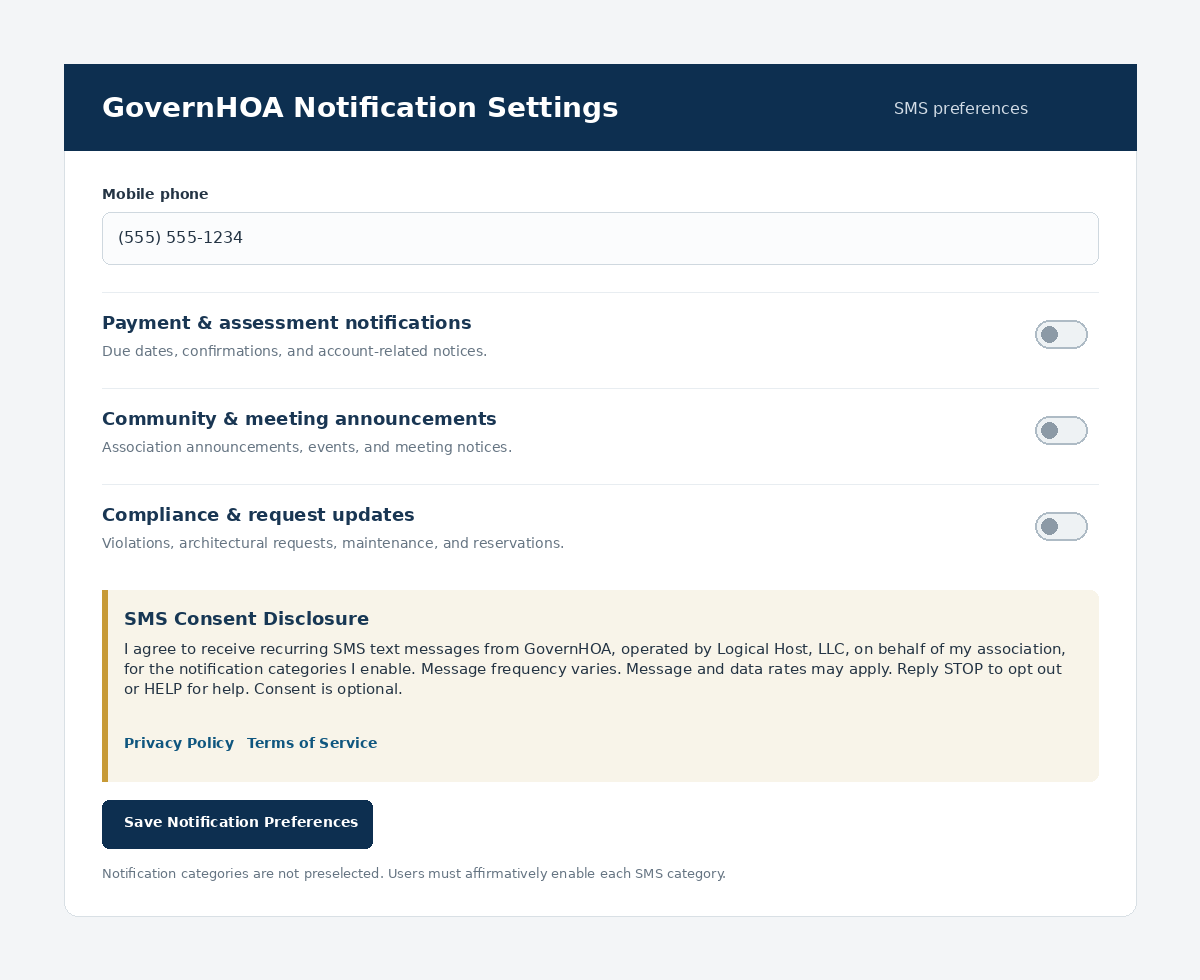
Users can enable SMS notification categories during onboarding or later in Profile / Notification Settings.
The image below demonstrates the operational-notification opt-in interface presented within the authenticated GovernHOA platform.
Open the notification opt-in screenshot directly
Opt-in flow 2
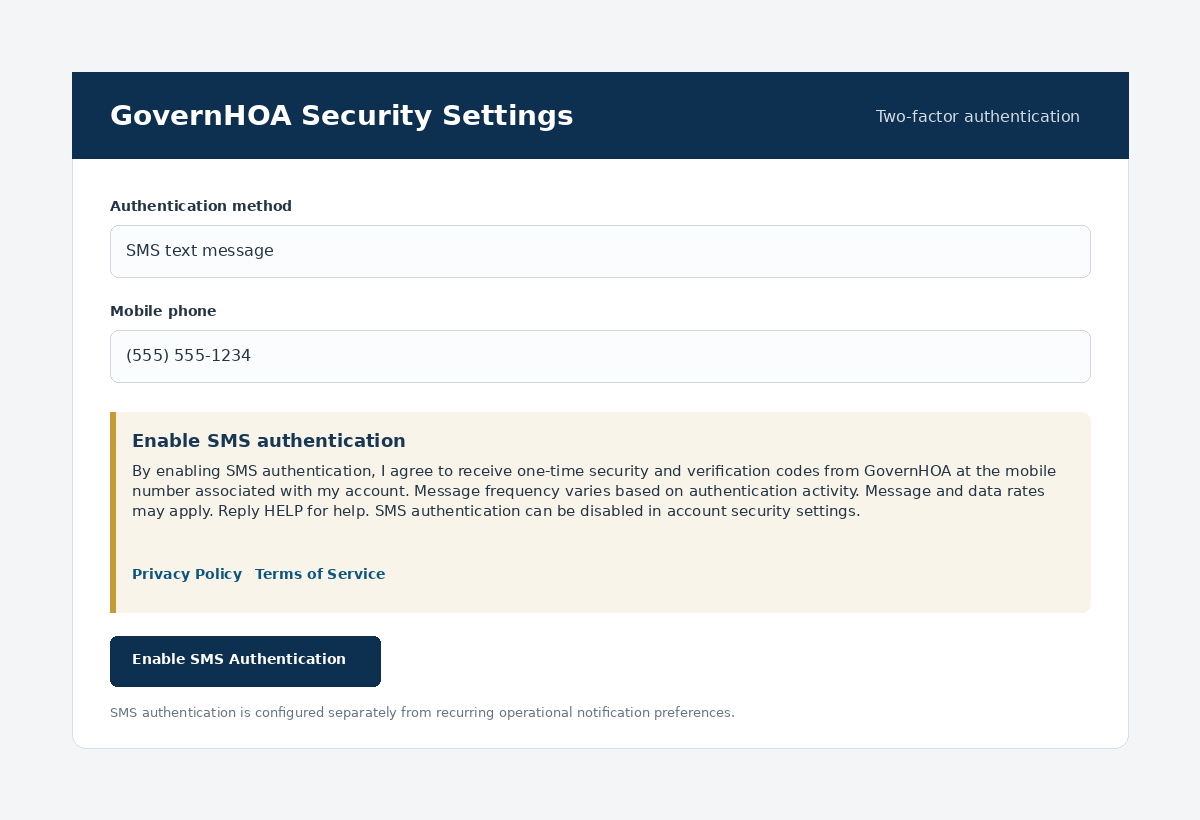
SMS authentication is enabled separately from recurring operational notifications.
The image below demonstrates the SMS authentication enrollment interface presented within the authenticated GovernHOA platform.
Open the SMS authentication screenshot directly
Consent evidence retained
The consent record is maintained so the user’s choices can be demonstrated, honored, and audited.
User/account identifier, applicable association/community, and the mobile telephone number associated with the consent event.
Date and time of the consent event, the consent method/workflow, and the version of the consent language presented to the user.
The operational SMS categories enabled or disabled by the user and the separate SMS authentication enrollment state.
Current opt-in/opt-out state and subsequent preference changes or opt-out actions, including STOP processing where applicable.
User control
Operational notification categories can be disabled in Profile / Notification Settings. Users may also reply STOP to applicable recurring notification messages. SMS authentication is managed separately under account security settings.
Reply HELP for messaging assistance or use the GovernHOA contact form.
Related public documents