Consent event
The record includes the user/account identifier, association context, mobile number, date and time, consent method/workflow, and consent-language version.

SMS messaging & consent
GovernHOA uses SMS for user-requested authentication and operational notifications. SMS enrollment is managed inside the authenticated GovernHOA portal and is not enabled simply because a mobile number is stored on an account.
Two separate consent paths
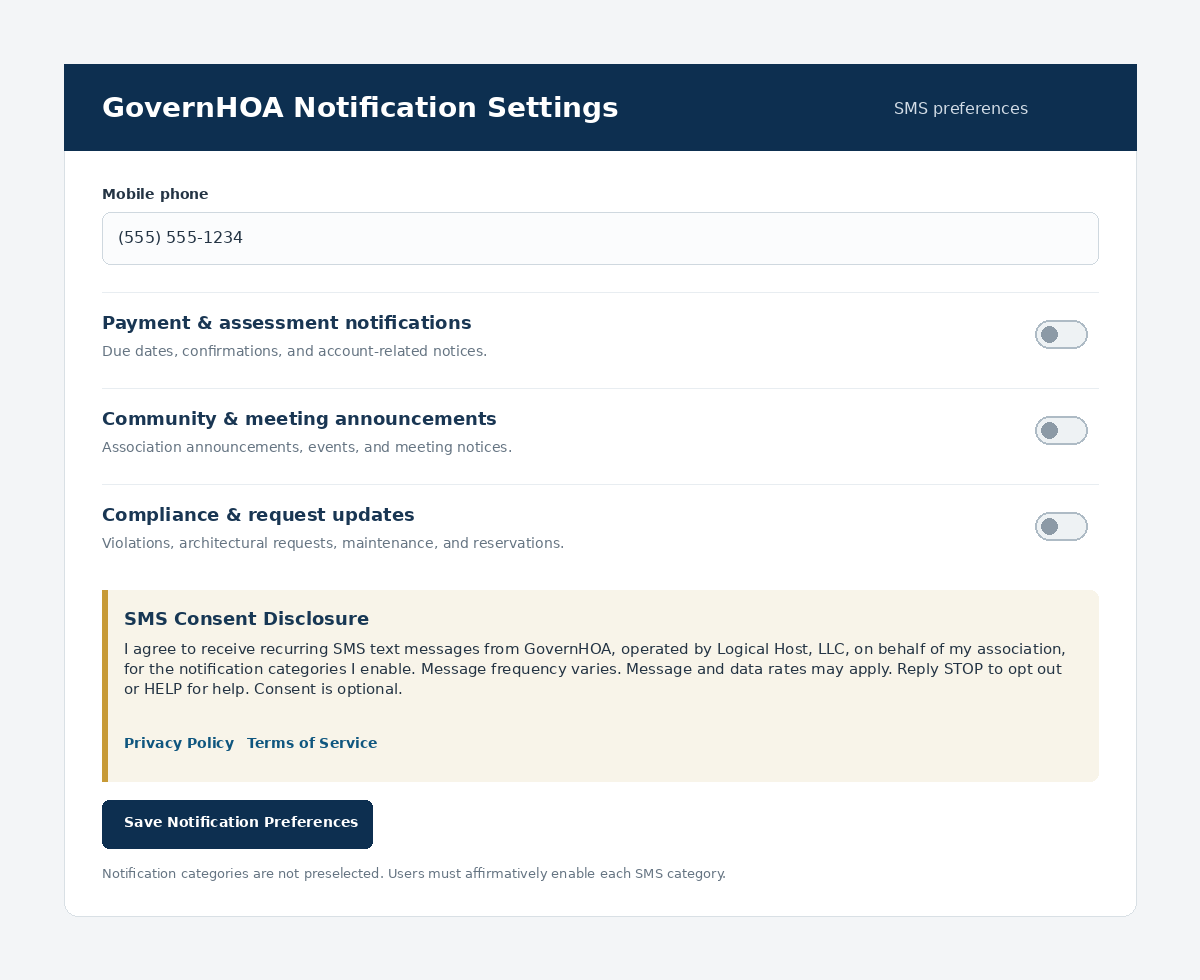
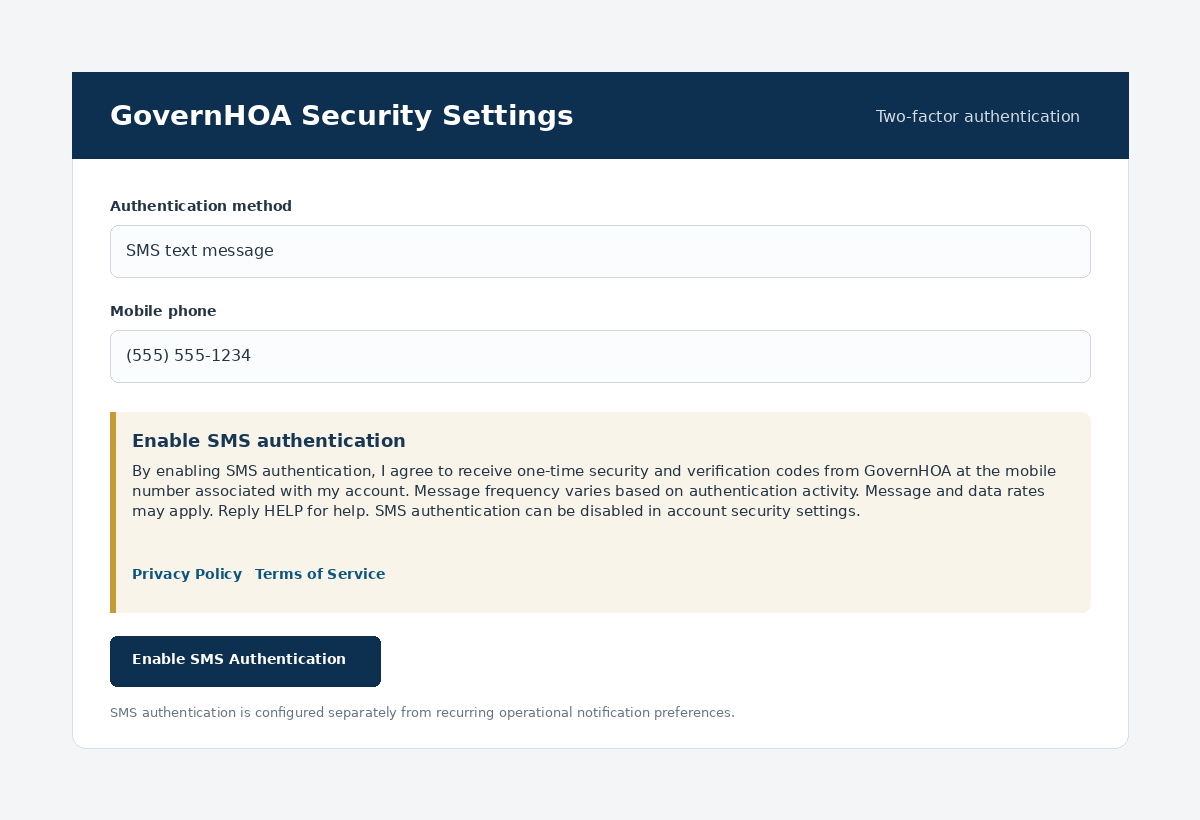
SMS-based two-factor authentication is enabled separately as an authentication method. Operational SMS notifications are configured by category in the user portal, so users can choose which types of messages they want to receive.
Marketing or promotional SMS is not part of the GovernHOA messaging program.
Operational notification opt-in
Notification categories are off unless the user affirmatively enables them. The consent disclosure is presented in the same workflow before preferences are saved.
View a hosted reference image of this notification opt-in workflow.
SMS authentication
Users who choose SMS as an authentication method receive one-time verification codes used to complete sign-in or other security-sensitive account actions.
Consent records
Consent records support user control, troubleshooting, and messaging compliance. A dedicated public proof page documents the complete opt-in story and both authenticated workflows.
The record includes the user/account identifier, association context, mobile number, date and time, consent method/workflow, and consent-language version.
The specific operational SMS categories selected by the user and the current opt-in/opt-out state are maintained separately.
SMS 2FA enrollment is tracked separately from recurring operational notification preferences.
Message samples
GovernHOA: Your verification code is 482731. It expires in 10 minutes. Do not share this code with anyone.
GovernHOA / [Association Name]: Your association assessment of [amount] is due [date]. Sign in to GovernHOA for details. Reply STOP to opt out. Reply HELP for help.
GovernHOA / [Association Name]: Your maintenance request [request number] has been updated: [status]. Sign in to GovernHOA for details. Reply STOP to opt out. Reply HELP for help.
GovernHOA: For help with your account or text notifications, visit https://governhoa.com/contact. Support: Mon–Fri, 8 AM–5 PM ET. Message frequency varies. Message and data rates may apply. Reply STOP to opt out.
GovernHOA: SMS notifications are now enabled for the categories you selected. Message frequency varies. Message and data rates may apply. Reply HELP for help or STOP to opt out.
GovernHOA: You have been unsubscribed from GovernHOA SMS notifications. No further notification messages will be sent. Visit https://governhoa.com/contact for help.
Opt-out & help
Users may reply STOP to an applicable recurring notification message to withdraw SMS consent for that messaging program. A final confirmation may be sent after processing the opt-out.
Users can also disable notification categories in Profile / Notification Settings. SMS authentication is configured separately under account security settings.
Reply HELP for messaging assistance or use the GovernHOA contact form.
Privacy
GovernHOA and Logical Host, LLC do not sell, rent, or share mobile telephone numbers or SMS opt-in information and consent with third parties or affiliates for their own marketing or promotional purposes.
Messaging information may be provided to telecommunications providers, messaging providers, aggregators, carriers, and service providers only as reasonably necessary to deliver, secure, and support the messaging service.